Football prediction pools with friends: live table and chat
Start a football prediction pool with friends or the office: pick the same matches, follow a live table and talk it over in the pool's chat.
Predicting a score on your own is a guess. Predicting it against five people who will bring it up on Monday is a competition. ScoreTable now does the second one. In a football prediction pool, a group of friends picks the same matches all season and one table ranks everyone. Messages put the arguing in the same place as the picking.
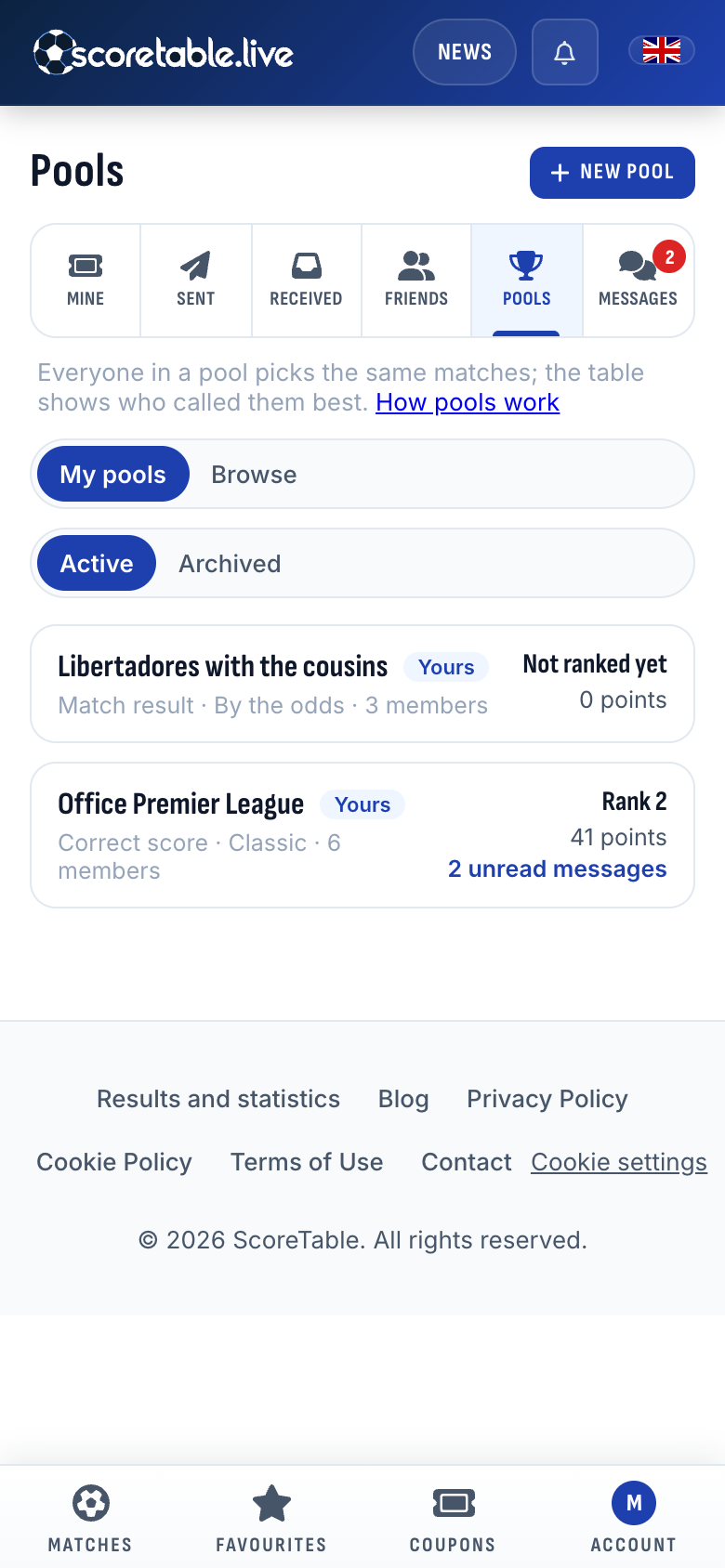
Both are on the website now. Open Coupons and you will find two new places beside your coupons and friends: Pools and Messages.
Start a pool in a minute
A pool needs a name and at least one competition. You can choose up to five, from the Premier League, LaLiga, the Bundesliga, the Brasileirão and the Russian Premier League to the Copa Libertadores: the Premier League for the office, say, and the Libertadores for the cousins. You can also mix the Champions League with three domestic leagues. With one competition, a round is its matchday. With more than one, a round is a football week, Tuesday to Monday, so a midweek European night and the weekend fall into the same round.
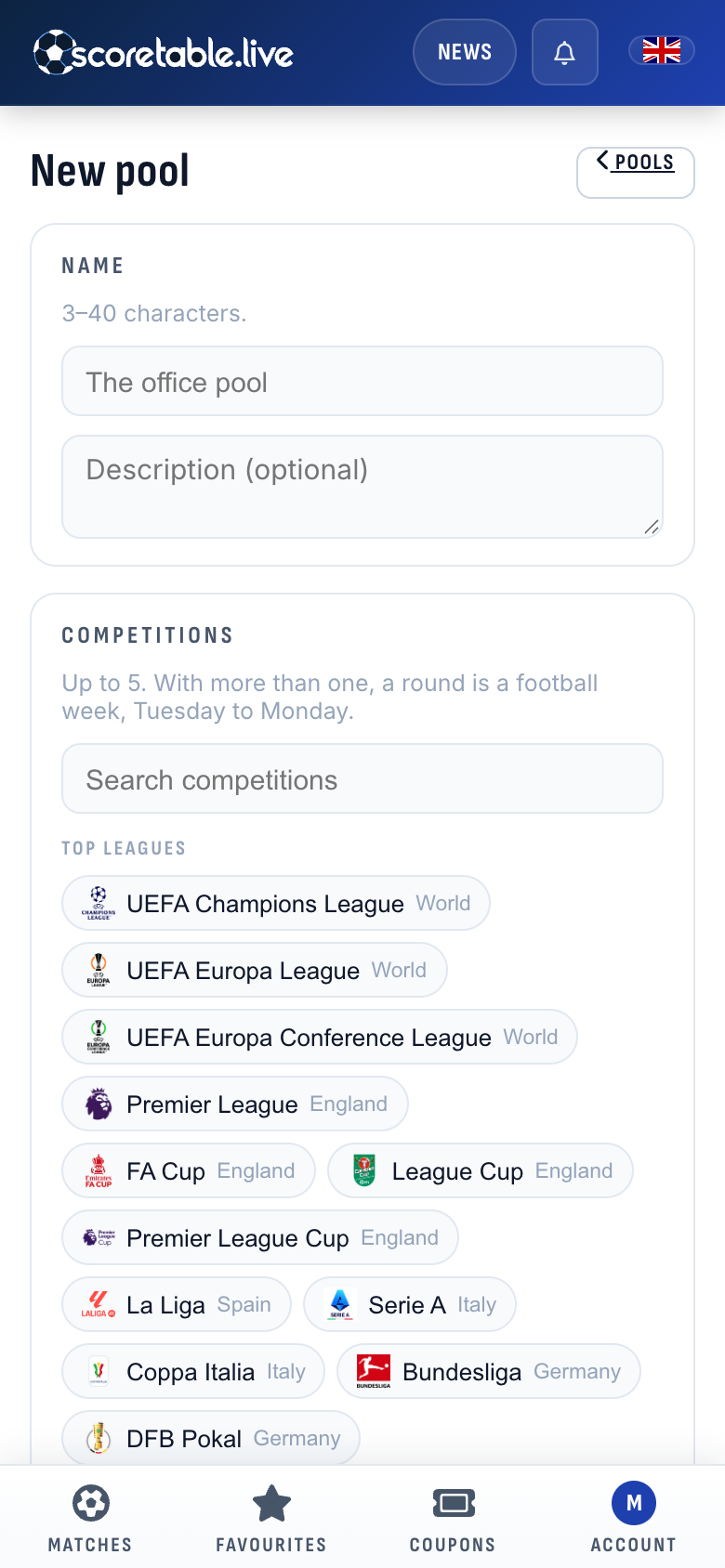
Then come three choices:
- The market. Everyone picks the same market on every match: correct score, match result, double chance, total goals, both teams to score, or half time / full time.
- The scoring. Classic pays fixed points. In a correct-score pool, an exact score is worth five points. The right winner with the right goal difference is worth three, and the right winner alone is worth two. By the odds pays a correct pick its odds, rounded to a whole number and kept within limits, so calling the upset is worth more than calling the favourite.
- The options.
- A joker doubles one pick a round.
- The underdog bonus adds points to a correct pick that no more than a quarter of the pool made. It comes with Classic scoring only, because the odds already reward the unpopular pick.
- Up to five bonus questions: who wins the competition, who finishes top scorer, who goes down, or a question of your own. Each one closes at a time you set.
- Prizes for the top three, written down so nobody forgets what was promised. ScoreTable takes no stakes and pays nothing out; the prize is between you.
A pool is private unless you make it public. Anyone can find a public pool under Browse and join it.
Make your picks
The Picks tab shows each round's matches. Set a score with the plus and minus buttons or tap one of the common scores. Star a match to play your joker on it, then save every pick at once. Each match shows how many members have picked it, but not what they picked.
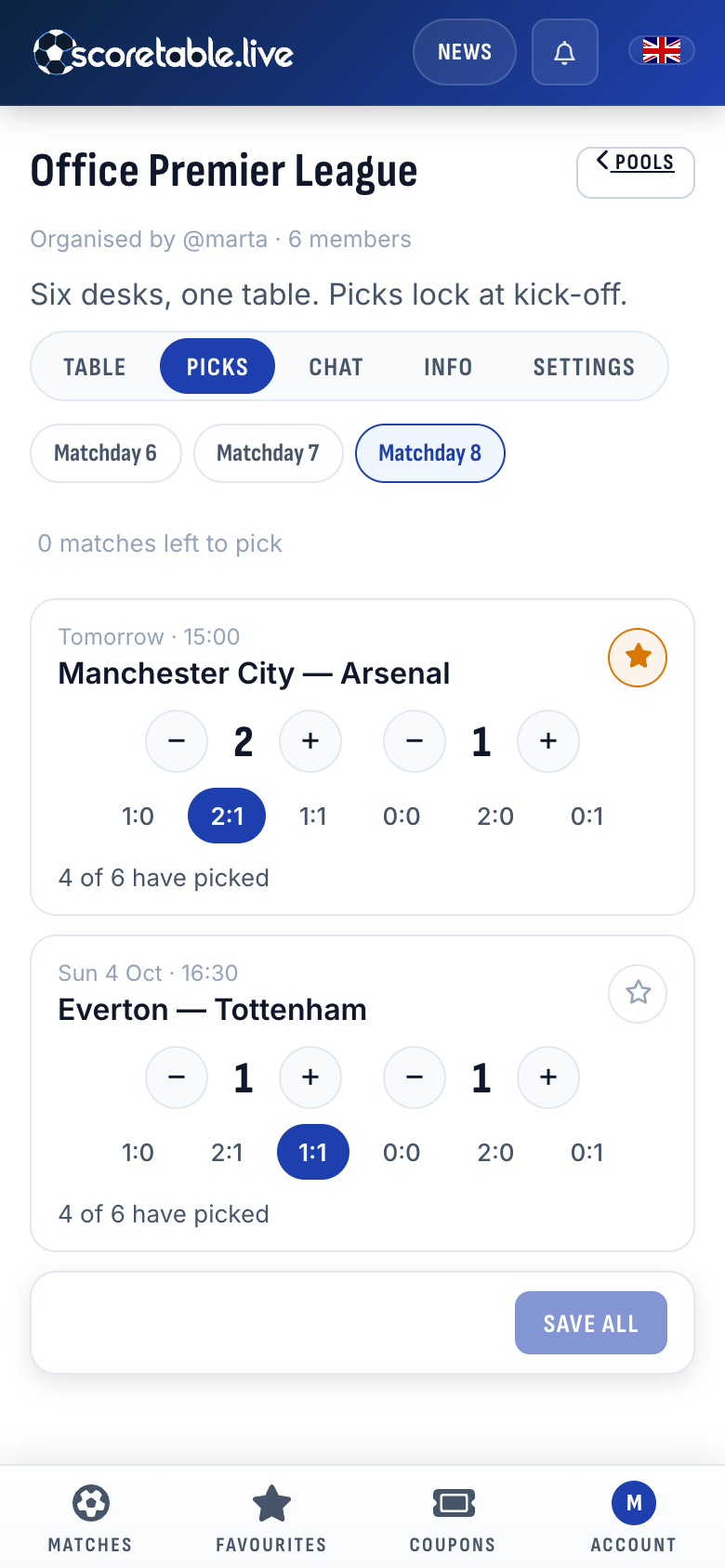
Picks lock at kick-off, and that is when everyone's picks for the match are revealed. Nobody can copy a pick, and nobody can wait to see what the others did. A match counts on its 90-minute score, so a shoot-out is a draw.
A table that moves during the match
The Table tab ranks the pool for the whole season or for any single round. Points come first, then exact scores. While a match is on, the table already moves with the score: it shows the settled points plus where the live matches stand, and it settles at full time. Tap a member to see their picks for the matches that have kicked off.
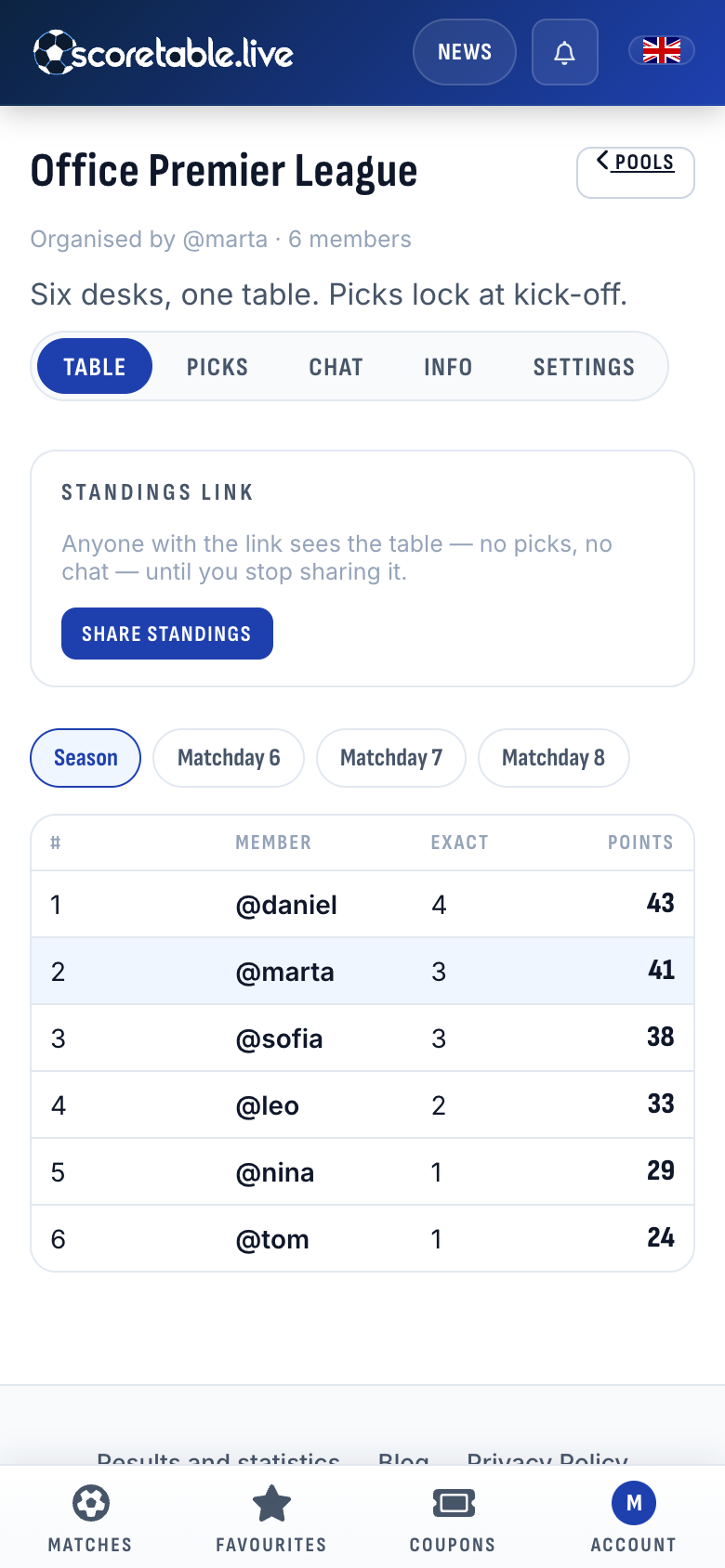
Want people outside the pool to see it? Share standings makes a link that shows the table, with no picks and no chat, until you stop sharing it.
A chat in every pool
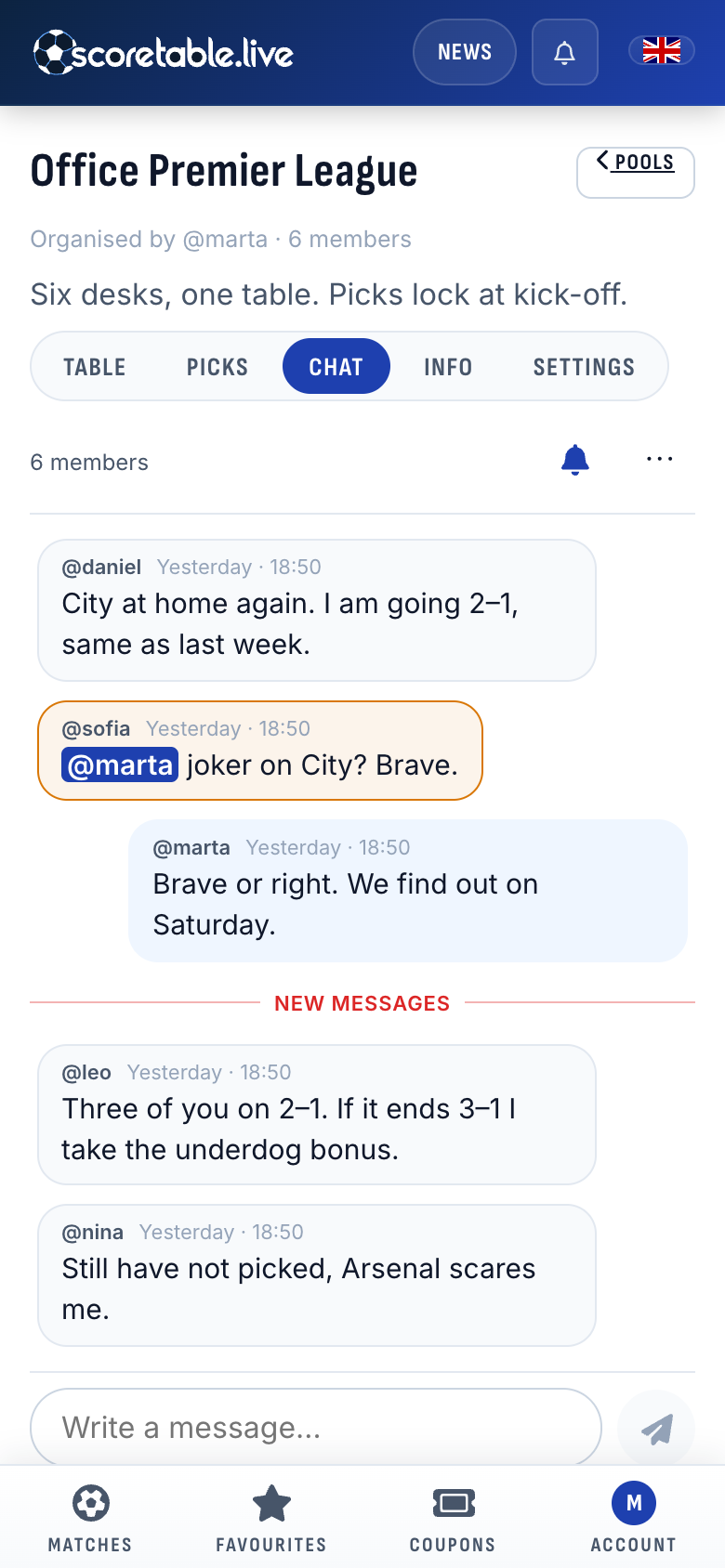
Every pool comes with its own chat, switched on from the start.
- New messages appear as they are sent, with no need to reload.
- A line marks where your unread messages begin.
- Write @ and a member's username to mention them; the message is highlighted for them.
- You can react to a message, or report one that crosses a line.
- The organiser can delete messages and mute a member for an hour, a day, a week or a month.
- Each member decides whether the pool's chat sends them notifications.
Inviting people
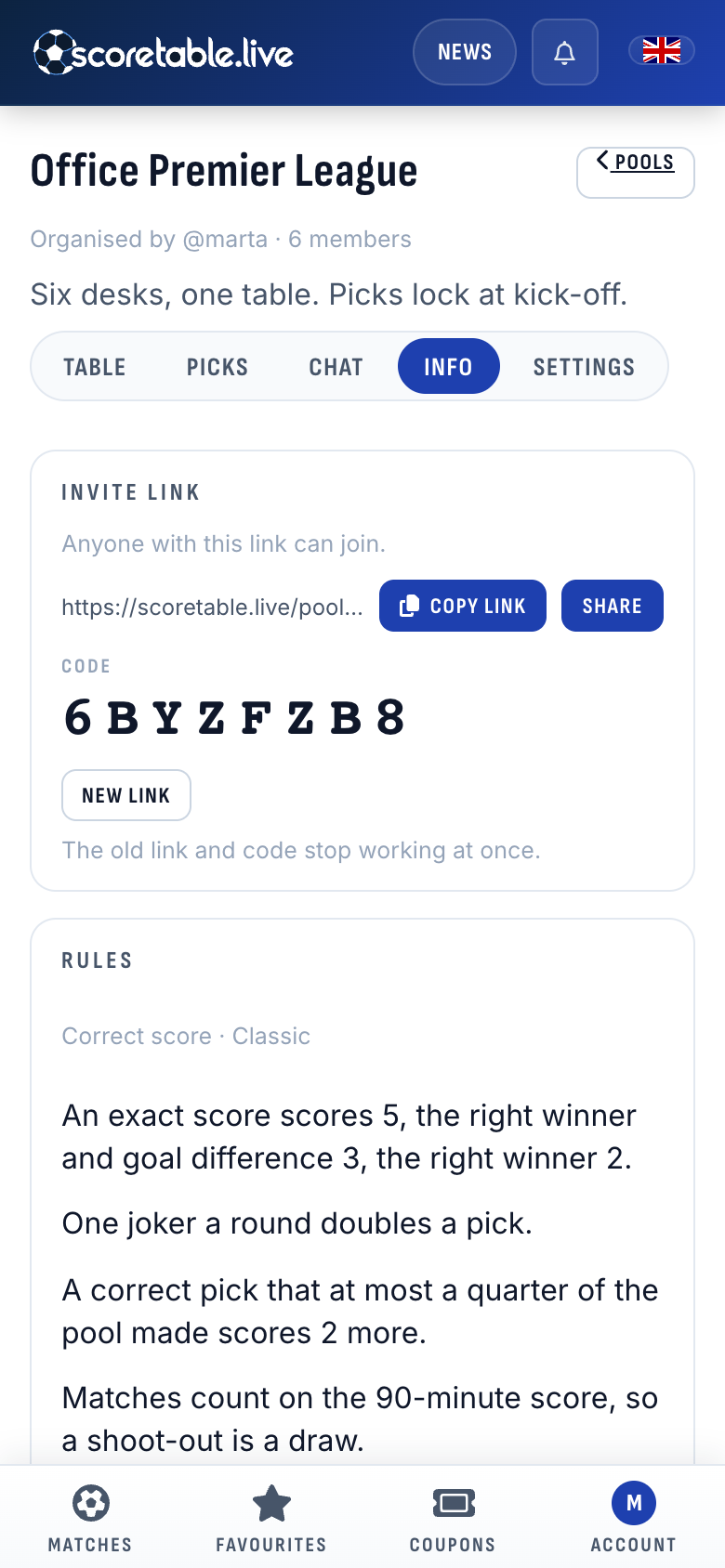
Every pool has an invite link and an eight-character code. Send the link in whatever app your group already uses. Whoever opens it signs in and joins. If the link ends up somewhere it should not, New link replaces it, and the old link and code stop working at once.
The Info tab also spells out the pool's rules in plain sentences, so a newcomer knows what a 2–1 is worth before making one.
Messages beyond pools
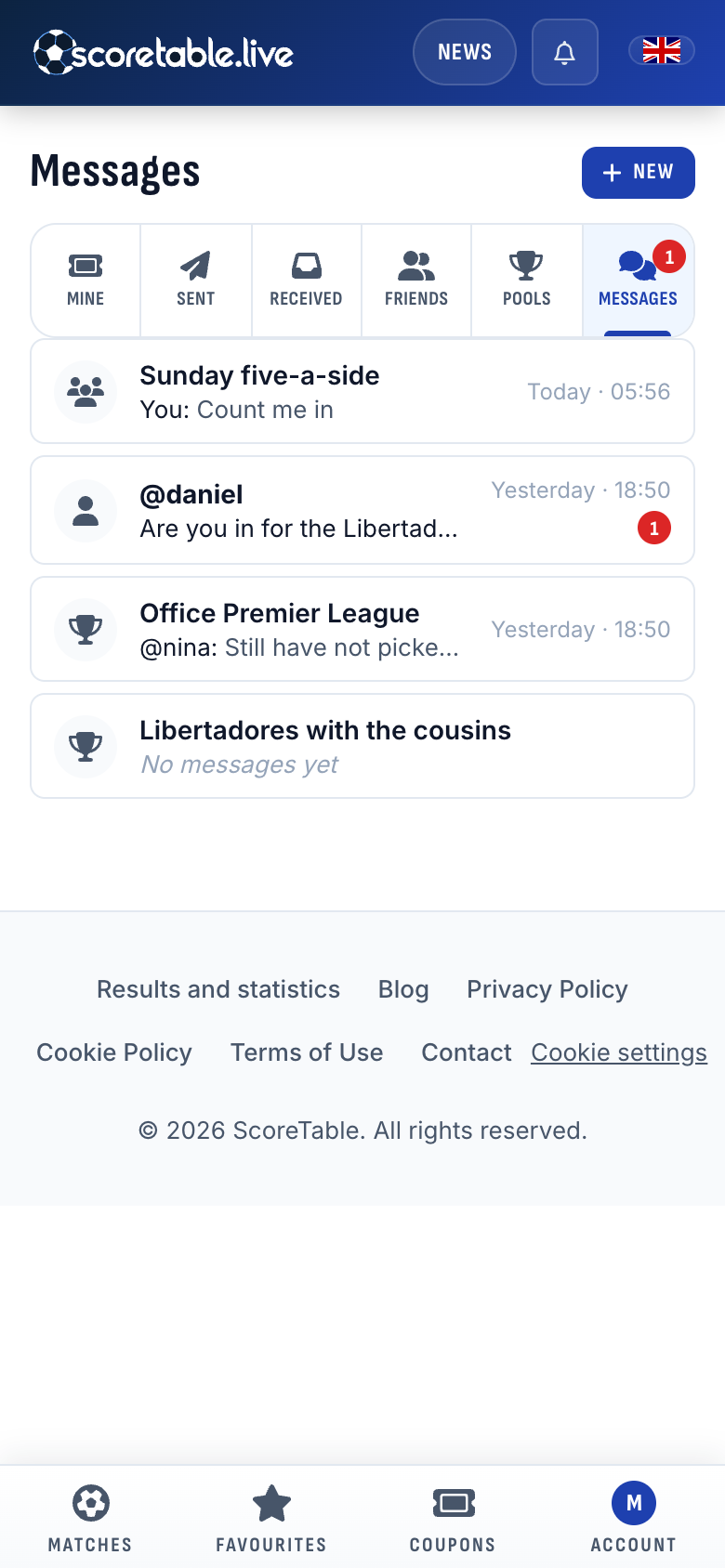
The chat is not only for pools. Messages gathers every conversation you are in:
- your pools' chats
- direct messages
- groups you create for anyone you like, such as the people you play five-a-side with on Sunday
Each conversation shows its latest message and how many you have not read.
You decide who can start a conversation with you: your friends, which is the default, anyone, or nobody. The setting is in your account. Conversations you already have carry on whichever you choose. You can also block anyone. After that, neither of you can message the other, and you no longer see their messages anywhere.
Where to find it
Open Coupons, then Pools to start a pool or Messages to talk. A pool takes a minute to set up, so there is time to have one running before the weekend's first kick-off.
Written from ScoreTable's match data with the help of an AI model, and checked against the results it describes. Spotted something wrong? Let us know.